
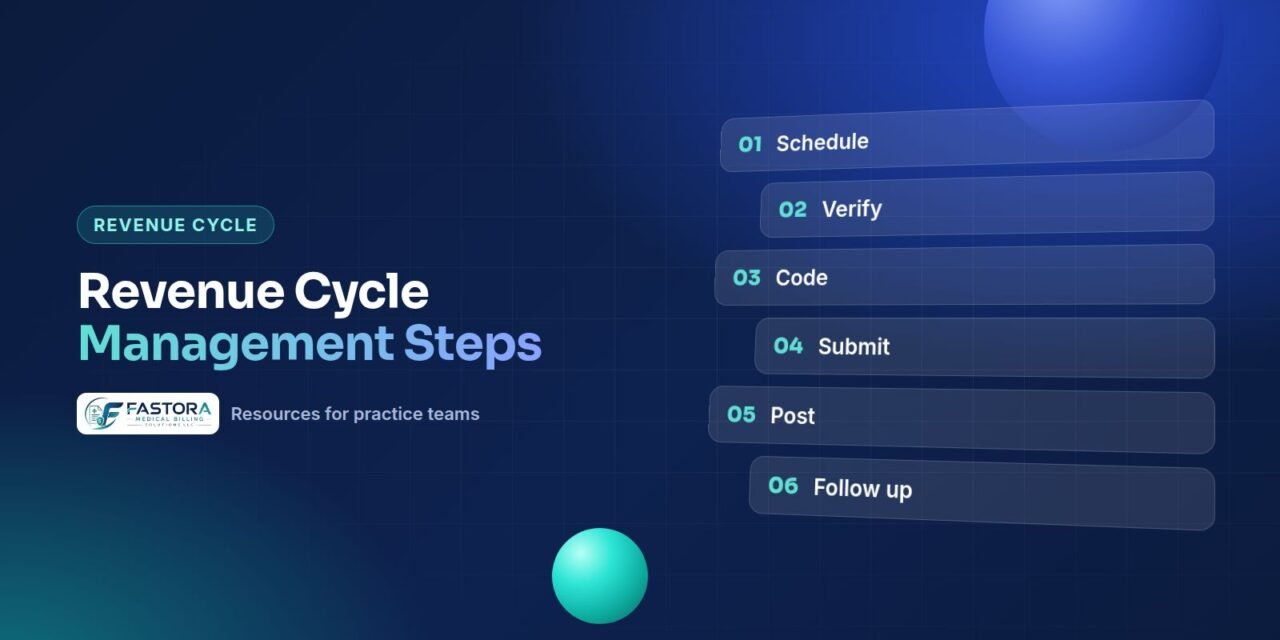
What is revenue cycle management?
If you have ever wondered what is revenue cycle management in practical terms, it is the set of tasks that turns a scheduled visit into money in the bank. This guide walks through the revenue cycle management steps for a physician practice or outpatient provider, in the order they happen, shows where each one tends to break down and explains which numbers tell you it is working.
The cycle starts before the patient arrives and ends only when the account reaches a zero balance. Each step depends on the one before it: a wrong insurance ID entered at registration becomes a rejected claim weeks later, and a missing authorization becomes a denial that has to be appealed.
Put simply, the RCM process in medical billing covers three jobs: getting the patient's coverage right before the visit, turning the visit into a correct claim, and collecting and reconciling every dollar owed afterward. This article focuses on how those steps connect and who owns them. For code sets, payer types and the laws every claim has to satisfy, see our medical billing guide.
The revenue cycle management process, step by step
1. Scheduling and registration
The front desk captures demographics, insurance details and the reason for the visit. Scan both sides of the insurance card and confirm the subscriber's name and date of birth. Small errors here, such as a misspelled name or an old member ID, are among the most common causes of claim rejections.
2. Eligibility and benefits verification
Before the visit, confirm that coverage is active and check benefits for the planned service: copay, deductible, coinsurance, visit limits and whether the practice is in network. Electronic checks use the standard 270/271 eligibility inquiry and response adopted under HIPAA. Some details, such as behavioral health carve-outs, may still require a call or portal check.
3. Prior authorization
Many payers require approval before certain services, such as advanced imaging, some procedures and therapy beyond a visit threshold. Rules differ by payer and plan. Record the authorization number, approved units or visits and the expiry date, and track them. Specialties like pain management rely heavily on this step, because injections and interventional procedures often need approval first.
4. Charge capture
Every billable service, supply and drug from the encounter is recorded as a charge. Missed charges are hard to find later, so compare scheduled appointments against charges entered each day. Unsigned or incomplete notes are the usual cause of charge lag.
5. Coding
Certified coders translate the documentation into CPT or HCPCS codes for services and ICD-10-CM codes for diagnoses, with modifiers where needed. The codes must be supported by the documentation. Undercoding loses revenue, and overcoding creates compliance risk.
6. Claim scrubbing (pre-submission claim review)
Before a claim leaves the practice, it is checked against payer rules and common edits: missing fields, invalid code pairs, diagnosis-to-procedure mismatches, missing modifiers and authorization numbers. For Medicare, CMS publishes National Correct Coding Initiative edits that identify code pairs that should not normally be billed together. Fixing an error at this step costs far less than fixing a denial.
7. Claim submission
Clean claims are sent electronically, most often through a clearinghouse, in the standard 837 format. Watch for acknowledgments and rejections within a day or two, and correct rejected claims promptly. Each payer has a filing deadline; for Medicare fee-for-service, claims must be filed within one calendar year after the date of service, and commercial deadlines are set by each contract.
8. Adjudication
The payer reviews the claim against eligibility, coverage, medical policy and your contract, then decides to pay, reduce or deny it. Claim status can be checked electronically with the standard 276/277 transactions or through payer portals.
9. Payment posting
Payments and adjustments are posted from electronic remittance advice (the 835 transaction) or paper explanations of benefits. Post line by line, compare each payment with the expected contracted amount and flag underpayments and denials for follow-up rather than simply writing them off.
10. Denial management
Each denial is reviewed by its reason code, corrected or appealed within the payer's deadline, and tracked to a root cause. Denials caused by front-end errors should be fed back to the front desk so they stop recurring.
11. AR follow-up
Unpaid claims are worked by age and value: calling payers, checking portals, resubmitting and appealing. Prioritize balances close to filing or appeal deadlines. AR left to age becomes harder to collect every month.
12. Patient billing
Once insurance has paid, the remaining patient responsibility is billed with a clear statement. Collecting copays at check-in, offering payment plans and following up on balances all help reduce bad debt.
13. Reporting
Monthly reports on clean claim rate, denial rate, days in AR, collection rate and aged AR show whether each step is working. The best reports are broken down by payer and provider, so problems can be traced to a specific step.
Front-end vs back-end RCM
The steps above fall into three groups. Knowing the difference in front-end vs back-end RCM helps you assign ownership, because each group is usually handled by different people with different skills. The front end revenue cycle protects the claim before it exists, the mid revenue cycle turns care into codes, and the back end revenue cycle collects the money.
| Stage | Steps | Typically handled by | Common failure |
|---|---|---|---|
| Front end | Scheduling, registration, eligibility and benefits, prior authorization, copay collection | Front desk, patient access or scheduling staff | Wrong insurance details, inactive coverage, missing authorization |
| Mid-cycle | Documentation, charge capture, coding, pre-submission claim review | Providers, scribes, coders | Missed charges, unsigned notes, coding not supported by documentation |
| Back end | Claim submission, adjudication, payment posting, denial management, AR follow-up, patient billing, reporting | Billers, payment posters, AR and collections staff | Unworked denials, aging AR, underpayments posted without review |
Most back-end problems start at the front end. A practice that measures only collections sees the symptom; a practice that traces each denial back to its step can fix the cause.
How the RCM process connects the stages
A well-run RCM process is a loop, not a line. Data from the back end revenue cycle should flow back to the front and middle of the cycle every month.
- Denials by reason show which front-end checks need tightening, such as eligibility or authorization tracking.
- Rejections by edit show which registration fields or coding rules cause repeat errors.
- Underpayments by payer show which contracts need review.
- Charge lag by provider shows where documentation is slowing everything down.
- Aged AR by payer shows where follow-up capacity is short.
Clear handoffs matter as much as individual steps. Agree who owns each step, what information passes to the next, and how quickly problems are sent back. Many practices keep the front end in-house and outsource the middle and back end, which works well only when those handoffs are defined.
RCM vs medical billing: what is the difference?
People often use the two terms interchangeably, but the scope is different. Medical billing is one part of the cycle: preparing claims, submitting them, posting payments and following up on unpaid balances. Revenue cycle management is the whole loop, from scheduling and eligibility through coding, billing, denials, patient collections and the reporting that ties them together.
| Question | Medical billing | Revenue cycle management |
|---|---|---|
| Where does it start? | When a coded encounter is ready to become a claim | When the appointment is scheduled |
| What does it include? | Claim creation, submission, payment posting, follow-up | Registration, eligibility, authorization, documentation, coding, billing, denials, AR, patient billing, reporting |
| What does it measure? | Claims sent, payments received | Every handoff, through KPIs such as clean claim rate, denial rate and days in AR |
| Who is involved? | Billers and AR staff | Front desk, providers, coders, billers, AR staff and practice leadership |
The practical point in the RCM vs medical billing debate is accountability. A billing-only arrangement can submit claims correctly and still lose money to problems it never sees, such as inactive coverage or missing authorizations. Coding sits in the middle of the cycle and feeds both.
What does an RCM company do?
A practice that outsources asks a fair question: what does an RCM company do that a billing service does not? The answer depends on the contract, so read the scope of work line by line. A full revenue cycle arrangement usually covers some or all of the following.
- Eligibility and benefits checks before visits, and prior authorization requests and tracking.
- Charge entry, coding or coding review, and pre-submission claim checks.
- Electronic claim submission, rejection handling and claim status follow-up.
- Payment posting from ERAs and EOBs, with underpayment flags.
- Denial management, corrected claims and appeals.
- AR follow-up by age and payer, and patient statements and payment plans.
- Monthly reporting on KPIs, with a review of trends and root causes.
Ask any vendor which of these steps it owns, which stay with your staff and how information moves between the two. Gaps usually appear at the handoffs, such as who updates a patient's insurance after a denial for coverage terminated. Our guide on in-house vs outsourced billing covers the trade-offs.
Revenue cycle management KPIs to track
RCM KPIs show whether each step is doing its job. Use consistent definitions month to month, ideally aligned with an industry standard such as the HFMA MAP Keys, so trends mean something. Break each measure down by payer and provider, because a practice-wide average hides the source of a problem.
| KPI | How it is usually calculated | What it tells you |
|---|---|---|
| Clean claim rate | Claims accepted on first submission without edits or rejections, divided by claims submitted | How well registration, coding and claim checks are working |
| Denial rate | Claims or dollars denied, divided by claims or dollars submitted in the period | Front-end, authorization and coding gaps |
| First-pass resolution rate | Claims paid in full on the first adjudication, divided by claims adjudicated | How much rework the back end is doing |
| Days in AR | Total AR divided by average daily charges over a set period, such as 90 days | How quickly charges turn into cash |
| AR over 90 days | Share of AR older than 90 days from the date of service | Follow-up capacity and stuck claims |
| Net collection rate | Payments divided by allowed amounts (charges minus contractual adjustments) | How much of the collectible money you actually collect |
| Charge lag | Days from the date of service to charge entry | Documentation and charge capture delays |
| Point-of-service collections | Patient payments collected at the visit, compared with what was due | How well copays and known balances are collected upfront |
Targets vary by specialty, payer mix and practice size, so compare your own numbers over time before reaching for outside benchmarks. Our medical billing KPIs guide explains each formula in more detail.
How to improve revenue cycle management
Knowing how to improve revenue cycle management starts with finding the step that leaks the most money, then fixing the cause rather than the symptom. The revenue cycle management best practices below are simple checks most practices can start this month.
- Verify every visit. Run eligibility for each appointment, including returning patients, and re-check when a plan year turns over.
- Track authorizations by units and dates. Record approved visits or units and the expiry date, and alert schedulers before they run out.
- Close notes quickly. Set a target for signing notes and watch charge lag by provider.
- Check claims before they go out. Use payer edits and NCCI pairs to catch missing modifiers, invalid code pairs and diagnosis mismatches.
- Work rejections daily. A rejected claim never reached the payer, so it is not protected against the filing deadline.
- Post line by line and compare to contract. Flag underpayments rather than writing them off with the contractual adjustment.
- Appeal with a root cause. Log every denial by reason code and step, and send recurring causes back to the team that owns them.
- Collect what you can at the visit. Copays and known balances are easiest to collect before the patient leaves.
- Review KPIs monthly. Compare with the previous three months and assign one fix per stage that is off track.
Most improvement comes from the front end and mid revenue cycle, because a denial prevented costs far less than a denial appealed.
A monthly checkup for each stage
You do not need a full audit to see which stage is struggling. A short monthly review of a few reports, compared with the previous three months, usually shows where to look first.
- Front end: count rejections and denials for eligibility, registration and missing authorization. Rising numbers point to intake or verification gaps.
- Mid-cycle: compare appointments with charges entered, check average charge lag by provider and review a small sample of coded visits against the notes.
- Submission: review clearinghouse rejection reports and how long rejected claims wait before they are corrected and resent.
- Payment: compare paid amounts with contracted rates for your most common codes and list any payer paying below the agreed amount.
- Follow-up: check the share of AR older than 90 days and the number of open denials past half of their appeal window.
- Patient balances: review how much is collected at the time of service and how old unpaid patient balances are.
Write down one action for each stage that is off track and review it at the next month's meeting. Small, regular fixes tend to hold better than a large cleanup once a year.
How Fastora runs the revenue cycle
Fastora runs these steps as one connected three-phase workflow. The Virtual Assistant phase covers scheduling, registration, insurance verification and collecting copays upfront. The Scriber phase records visit documentation in the EHR in real time. The Fastora Medical Billing phase covers claim submission, payment posting, denial management, AR follow-up and patient billing, with every claim checked through Advanced Pre-Submission Claim Review before it goes out.
Learn more about our end-to-end RCM support, or start with a free billing assessment to see which steps in your own cycle need attention.
Checklist
Frequently asked questions
How would you define revenue cycle management in simple terms?
It is the full process a practice uses to get paid for care: checking coverage before the visit, documenting and coding the service, submitting the claim, posting payment, working denials and collecting the patient's share, plus the reporting that shows where money is lost.
What are the main stages of the revenue cycle?
The front end (scheduling, registration, eligibility and prior authorization), the mid-cycle (documentation, charge capture and coding) and the back end (claims, payment posting, denials, AR follow-up and patient billing).
Which step causes the most denials?
It varies by practice and specialty, but many denials trace back to front-end steps such as eligibility checks, registration details and prior authorization. Your own denial report by reason code will show which step matters most for you.
Is claim scrubbing the same as coding?
No. Coding assigns the codes from documentation. Claim scrubbing checks the finished claim against payer rules and edits before it is submitted.
Which KPIs should a small practice track first?
Start with denial rate, days in AR, AR over 90 days and net collection rate, broken down by payer. They are easy to pull from most practice management systems and point quickly to the stage that needs work.