Medical billing software vs billing service: tools versus people
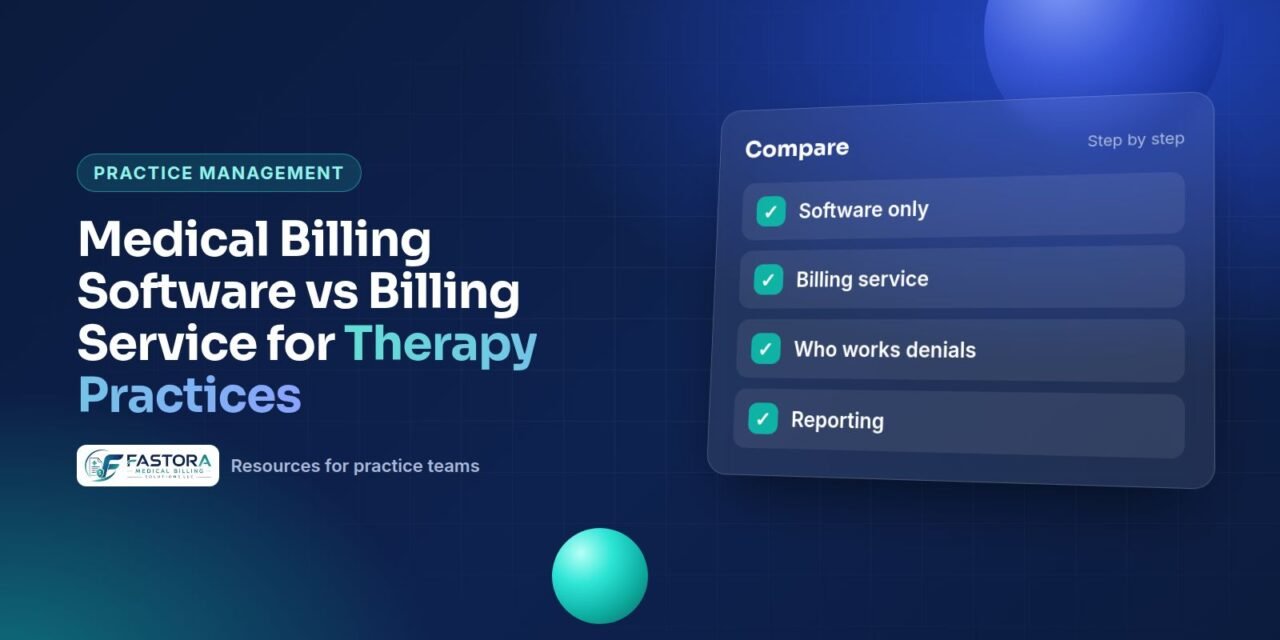
The medical billing software vs billing service question is often framed as either-or, but they solve different problems. Software gives you the tools to create, submit and track claims. A billing service supplies the people who use those tools, follow up on what goes wrong and answer to you for results.
Many practices, especially therapy and behavioral health groups, already run an all-in-one practice-management platform, such as SimplePractice, TherapyNotes or a similar product, for scheduling, notes and claims. The real question for them is whether to keep doing the billing work themselves inside that platform or to bring in a billing team that works in the same system.
What practice-management software handles well
Modern PM and EHR platforms built for small practices usually include billing features that cover the routine path of a clean claim:
- Creating claims from appointments and notes, with saved CPT and diagnosis codes.
- Electronic claim submission through a built-in or connected clearinghouse.
- Real-time or batch eligibility checks with some payers.
- Electronic remittance (ERA) import and auto-posting of straightforward payments.
- Patient statements, card-on-file and online payments.
- Standard reports such as outstanding claims and income by payer.
For a solo clinician with a simple payer mix and few denials, this may be all that is needed. Features and clearinghouse coverage differ by platform and plan tier, so confirm what your subscription includes.
Where software stops and people are needed
Software flags problems; it does not fix most of them. The work that tends to pile up in a self-billing practice is the work that needs judgment and payer contact:
- Reading denials and deciding whether to correct, resubmit or appeal.
- Calling payers about claims stuck in pending or with no response.
- Catching underpayments against contracted rates.
- Handling coordination of benefits, secondary claims and retroactive eligibility changes.
- Managing authorizations and visit limits for therapy plans.
- Working older AR before timely filing or appeal deadlines pass.
If these tasks are getting done late or not at all, the gap is usually staff time and expertise, not software features.
A quick test: open your platform's unpaid claims report and count how many claims have had no action in the last 30 days. If that list is long, the software is doing its job of surfacing problems, but no one has the time to act on them.
Side-by-side comparison
| Factor | Software only (self-billing) | Billing service |
|---|---|---|
| Who does the work | Clinician or office staff | Billing team, using your system or theirs |
| Cost pattern | Subscription plus staff time | Service fee (often percentage, per-claim or hybrid) plus any software you keep |
| Denial follow-up | As time allows | Assigned and tracked |
| Payer phone calls | Practice staff | Billing team |
| Specialty rule knowledge | Depends on who bills | Depends on vendor; verify experience |
| Control | Full, hands-on | Shared through reports and an account contact |
| HIPAA | Software vendor is a business associate | Billing service is also a business associate; BAA required |
For a broader look at staffing trade-offs, see in-house vs outsourced billing.
Using a billing service inside your existing platform
Many billing services can work directly in the practice's own PM system through user accounts the practice creates. This keeps patient records, notes and claims in one place and means the practice does not lose access if it changes vendors later.
Before you add an outside biller to your practice-management platform, check:
- Whether your plan allows additional users or a dedicated biller role, and the cost of extra seats.
- Which permissions the biller needs: claims, payments and reports, but not necessarily clinical notes.
- Whether the platform logs user activity so you can see who changed what.
- How ERAs and clearinghouse rejections reach the biller.
- That a BAA is signed with the billing service before access is granted.
A billing service working in your system is not the same as an official integration with the software company. Ask any vendor to describe exactly how they access your data.
Cost factors to weigh
Software looks cheaper on paper because the subscription is visible and the staff time is not. To compare fairly, estimate the hours per week spent on billing tasks, multiply by the true hourly cost of the person doing them, and add revenue lost to denials that were never worked.
A simple worksheet helps. List each billing task, the person who does it and the hours per month. Add the software subscription, clearinghouse fees and any per-user charges. Then pull the total of denied or unpaid claims older than 90 days from your AR report. Compare that total cost with written quotes from billing services for the same scope, making sure each quote states which tasks are included and whether you still pay for the software.
For a clinician, those hours also replace billable sessions. If billing takes several hours a week, the comparison is not just subscription versus service fee but also the visits that time could have funded. Our guide to medical billing costs explains common pricing models.
Signs it is time to add a billing service
- Unpaid claims older than 60 or 90 days are growing.
- Denials are resubmitted without understanding the reason code.
- You are adding clinicians, accepting new payers or starting Medicare billing.
- Billing tasks are done evenings and weekends.
- You cannot say with confidence what each payer owes you.
If none of these apply, software alone may serve you well for now. Review the question again when the practice grows or the payer mix changes.
Questions to ask a billing service
- Will you work in our existing platform, and what access do you need?
- Which tasks are in scope: eligibility, claims, posting, denials, AR, patient billing?
- Who is our day-to-day contact, and how quickly do you answer questions?
- What reports will we receive, and how often?
- How do you handle claims and data if we end the contract?
- What experience do you have with our specialty and payers?
Ask for answers in writing and compare them side by side. Vague replies about access, reporting or data return are a warning sign, whichever vendor gives them.
Our behavioral health billing guide covers the codes and payer issues a therapy-focused billing team should know.
Working with a billing team in your current system
Fastora works inside the practice's existing EHR/PM system under user access the practice grants, with no software to install, and its certified billing professionals handle claims management and follow-up. Therapy practices can read more on billing for therapists and counselors.
Checklist
Frequently asked questions
Can a billing service work inside my therapy practice-management platform?
Often yes. Many platforms let a practice add users with billing permissions, and a billing service can work claims, payments and reports through those accounts. Check your plan's user limits and permission options, sign a BAA with the billing service first, and keep ownership of the account in the practice's name.
Is billing software enough for a solo therapist?
It can be, if the payer mix is simple, claims are mostly paid on first submission and you have time to work the occasional denial. Once denials, aging claims or payer calls start taking significant time away from sessions, adding a billing service may cost less than the lost clinical hours.
Do I need a BAA with my software vendor and my billing service?
Yes. HHS guidance treats a cloud service provider that maintains ePHI for a practice as a business associate, and a billing service handling PHI is one as well. Each needs its own business associate agreement with the practice.
Will I lose access to my data if I use a billing service?
Not if the service works in your own system. When the PM account belongs to the practice and the billing team uses user accounts you created, you keep the records and can remove access at any time. If a vendor moves claims into its own system, confirm how data is returned at exit.